


Firmware
Details of the upgrade
-
Minor bugs fixed.
-
You can also download the new firmware from the smartphone app (Version 1.1.2).
To update to the latest firmware, copy the following URL, email it to your PC, access the URL and perform steps 1-3.
https://www.instax.com/wide_evo/en/support/firmware/
Please ensure you have a microSD card ready, then follow the instructions below to download.
If downloading from the instax WIDE Evo™ Smartphone App
Step 01
Launch the instax WIDE Evo™ smartphone App, then select settings from the menu (top right of screen).

Step 02
Select “Firmware update” and follow the instructions on the screen.

If downloading from the web
Step 01
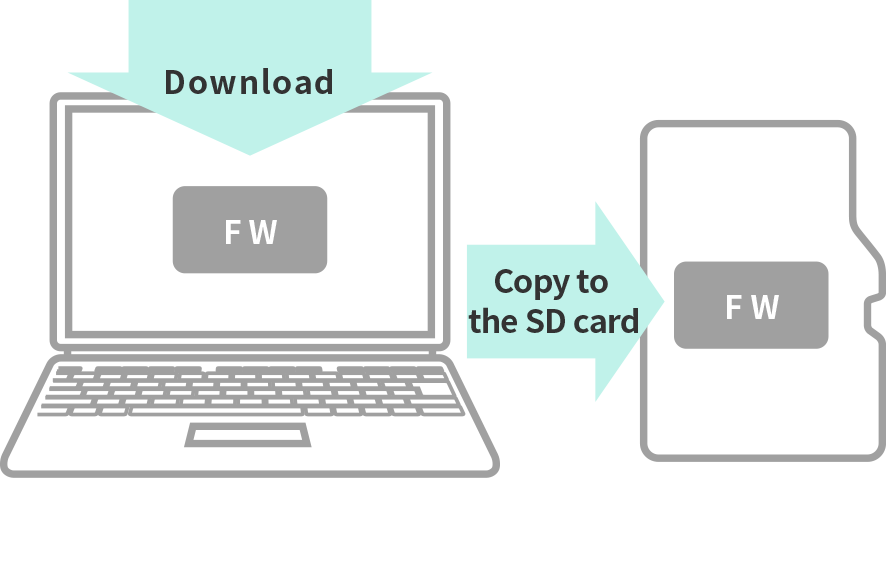
Save the latest firmware version from your PC to the micro SD card.
Step 02
Make sure the camera is sufficiently charged, insert the micro SD card and turn the power on.

Step 03
Select [FIRMWARE UPGRADE] from the menu to update.

Update file varies by camera firmware version.
You can check the firmware version by navigating to “Settings” → “Version Update” in the menu of your instax WIDE Evo™ camera.
Confirm the version displayed there and download the firmware with the same version number.
Update from Ver 1.00 here.
Download new firmwareClick here if you are updating from version 1.01 or later
Download new firmware